RE: https://mas.to/@carnage4life/117453853842337625
> Employees are more productive and no one has the time to review the output from Claude.
"The human in the loop is tired"
RE: https://mas.to/@carnage4life/117453853842337625
> Employees are more productive and no one has the time to review the output from Claude.
"The human in the loop is tired"
I built a prototype of an experimental video stitcher that uses iOS Live Photos (or the *.MOV file that gets exported) to create video cutups, or hickups, depending on the setting. No, I wouldn't have coded this by hand!
> I don’t want to measure software by how painful it was to make.
I want to measure it by the useful change it creates. Did it save time? Did it reduce mistakes? Did it let someone do work they could not do before? Does it keep doing that reliably?
> AI can shrink the path between an idea and a working product.
I made this argument today, that I don't know how a car works, and that's ok(ish). At the same time, I agree with him that you have to understand the things you are doing. What a confusing state of affairs... #ai
https://www.youtube.com/watch?v=ahjOqq9Yd_Q
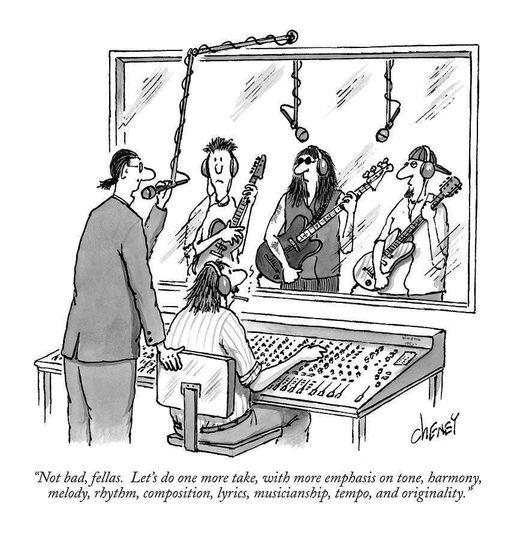
Me vibe coding software: Not bad, Fable, Sol, Kimi3, let's do one more round, focusing on UI, UX, functionality, security, usefulness, and money-making ability.
#ai #fable5 #gpt56sol #kimi_k3
thinking about getting back on WhatsApp to connect at least with a few selected people that use WA exclusively (not even RCS so I could use iMessage) #diday - a better world would be where something like #diday is not necessary - at least in my humble-di-bumble opinion... 🫠
RE: https://indieweb.social/@marcusobst/116759096792178349
The initial post was about some AI Slop Bro trying to make Claude Opus 4.8 behave like Fable 5 after they pulled it. He did some weird analysis of Fable 5 artifacts found in the Claude Code cache.
But this video https://www.youtube.com/watch?v=OSJJYWaxkKQ explains it much better. People are writing if statements in prose (Skill.md) instead of if(){} in .php or .js. They are burning tokens by instructing an LLM to commit to git (brainlet wojek meme here).
We went from writing verifiable, testable code (if... then... else...) to performing voodoo rituals to summon ghosts. #claude #fable5
> This is the part that makes people defensive.
> A lot of WordPress work was never truly high-skill in the way we like to believe. It wasn’t deep engineering or original design. It was assembling systems, adjusting layouts, troubleshooting conflicts, and navigating a messy ecosystem of tools that didn’t always play nicely together.
> The value came from familiarity, not difficulty.
https://webdesignerdepot.com/the-great-replatforming-wordpress-in-the-era-of-ai/
I found the worlds rectum ("Am Arsch der Welt" sozusagen) https://maps.app.goo.gl/5VLfrMnSetU8qEpa7 #maps #location
Top comment nails it, in my opinion.
> Most humans are not very good at objectivity. They need to know who said or did something before they can decide how much they like or agree with it. (Randall Spangler)
To judge art without context is hard. Art lives through stories and images that help us to express our own feelings and dreams. And if the story is: This Monet is #AI and you hate AI, then that's the outcome. I wouldn't fault anyone for that.
https://petapixel.com/2026/05/14/someone-shared-a-real-monet-painting-as-ai-and-asked-for-critiques/
The glass is half full AND half empty! #birthday #meme

Your own (self-hosted) #WordPress blog as part of an active social network! That's the way! Also, I love that Google killed its popular #RSS reader, and it's still living on as an API.
https://activitypub.blog/2026/05/05/radical-speed-month-the-reader-meets-the-fediverse/
There is also Brack's app called Readplace which is a perfect Pocket reader replacement. And it makes Medium articles readable :)
I randomly followed Fayner years ago via rss because I liked her writing about REST API's and here is another one primer on #ReST and #HATEOAS. As a consumer of #APIs I struggled with many of the points she says developers leave out.
Also, I love #JSON for some unknown reason.
https://fagnerbrack.com/what-is-a-rest-api-and-why-yours-probably-isnt-one-7e5fb65ece4d
> Your AI tools can produce a research brief in 45 seconds. A 1,500-word competitor analysis with tags and backlinks, filed in the right folder before you finish your coffee. A full knowledge graph connecting everything you've read this month to everything you saved last quarter. The problem is - you're not reading any of it.
@Daojoan is correct.
I hate these AI YouTube dudes so much! I don't deny that there is some value in the tech. But their selling point is: Create so much slop that neither you nor somebody else will ever read and never work again because: AI automation -> ??? -> profit. GTFO!

#RSS > Newsletter (if you have no financial interest)
great post that I got delivered via my self-hosted #FreshRSS instance :)
https://matduggan.com/you-can-absolutely-have-an-rss-dependent-website-in-2026/
Sometimes, looking at formatted #JSON pulled in by an HTTP client brings me peace.
The future of vacation. With the finger on the map.
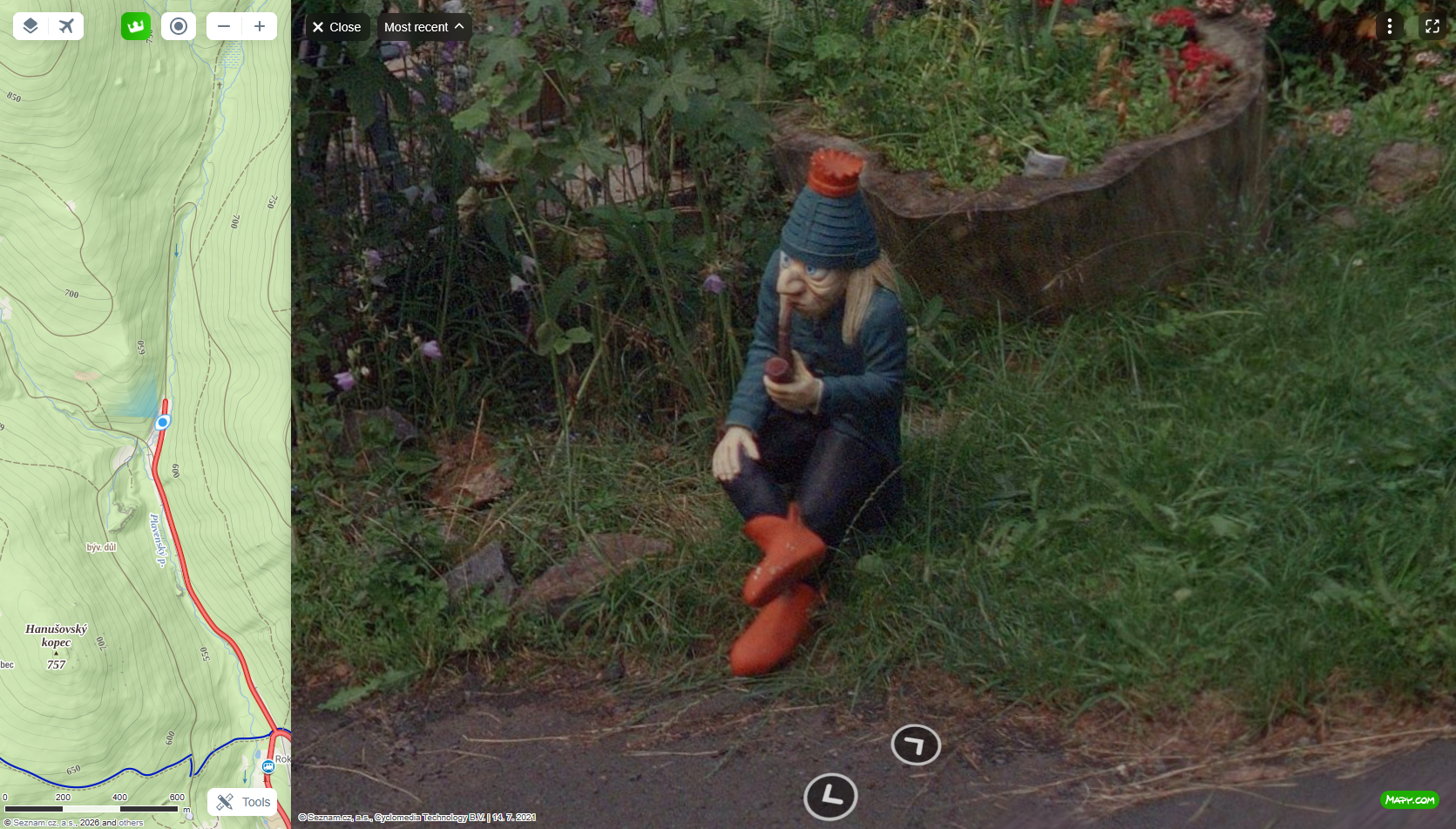
Went a bit exploring in the mountains on the other side. #streetview
Limitation creates creativity. I've seen solutions of Power Automate sending stuff to an Excel sheet to do regex. lol

Everyone criticizes big-tech social media for their addictive algorithmic feeds, which is fair. But being a nobody in a fragmented, decentralized space like Mastodon with 0–15 followers is its own void. I check in, scroll until I see posts from days ago, and move on. These days I mainly use it as an interface for posting to my microblog/bookmark feed on my website. That’s good enough. It’s the #indieweb PESOS (Publish Elsewhere, Syndicate (to your) Own Site) principle. https://indieweb.org/PESOS
#perplexity's Comet browser slowly became my window into the world of AI productivity hallucinations. I just found out that Perplexity also has something like Artifacts in Claude (or Canvas in ChatGPT or Pages in CoPilot). I think that's really cool. I don't know where this all leads us, but I'm oscillating between skepticism and the delusional euphoria of creating something in 3 hours instead of 3 days.
Had to rework a long report into an article that paralyzed me, so I turned to AI with a transcript that included a few possible options for how to structure it.
#ChatGPT: Here is what you do, then do this and that and change this to that, and if you need a short report card, just let me know blablbls
#Claude: I split the report in three separate documents based on your conversation in the transcript.
While ChatGPT overwhelmed me with more text and options, Claude just did the thing.
The Generalist Dev Pivot: Breadth Over Depth
Developers focus will need to shift upwards, onto software architecture, business analysis and the AI tools themselves ... this shift comes the need for a breadth of knowledge rather than a depth of knowledge. Specialist developers who continue to focus narrowly on just one framework / platform will slowly lose their knowledge monopoly to a machine that never sleeps, doesn't take coffee breaks and doesn't charge for overtime.
https://www.dodgycoder.net/2026/03/the-great-ai-arbitrage.html
Filtering out stuff from popular social media sites is erste Bürgerpflicht!
This is quite good and better than the outdated UserScripts that are floating around.
It occurred to me why I don't like traditional MS Office apps. I've never worked in an office!
Now that I have to work more with M365 I can see the criticism, and I can see that MS is moving away from the office/print-on-paper paradigms as well. With MS Loop, they built a usable Notion/block editor clone that is not too bad. I'm not sure if plain text/markdown is the answer, but what else can a markdown editor argue for?
Every day:

#diday (the #WhatsApp to #Signal switch) is making people lonely. Convince anyone who isn't already a nerd to use signal doesn't work. And most people are not interesting enough for people to follow them. I know I'm not :D - not even the Kängeruh #marcuwekling fans are switching.

Non-Reciprocal Content Dumping: A friend of mine sends me funny or weird videos without any context. No reaction when I respond, maybe another video without context a few hours later. #communication

Interestingly, some people have #Signal already installed and use it with a few friends, but they turn off notifications. At least that's what I think is happening, because I get a reply only on the weekend, when they check their other apps. Who knows. #diday
When I deleted my #WhatsApp account to be available only via iMessage, Messenger, #Signal, Telegram, Instagram, etc., I exchanged even fewer messages with my friends than before when I was using WhatsApp. I'm not sure what that's supposed to tell me. #diday
#Postman support was able to restore my "team" - not touching that again - it's too confusing. Also going to move everything over to #Bruno API Client
#Thunderbird is a solid email client, but as much as I was anticipating the new version and especially the cards view for the email listing, it's just a UI/UX nightmare. Why not copy an existing UI? Anyway, now I'm looking at Spark Mail and Canary Mail and shudder at the thought of subscribing to an email client. (My web host's webmail client is an abomination!!!)
Been using #Postman forever — tons of test scripts and API setups, even worked in a team once. While tidying up, I removed my old teammate and then tried to remove myself from the team too.
Well, looks like I left postman completely and deleted everything on my way out.
I’ll blame the confusing UI (not myself reading the notices) and the creep of new features I never read up on since I was just using the basic functions.
Two of the most annoying podcasts on 1.75 x speed are Hard Fork and Syntax.fm. sorry. But I still listen, at least to Syntax.
I gave up on that. I accept that I like to waste time with trying our obsidian plugins, I accept that I don't find most of my notes inspiring or useful, I accept that if I thought I've written something down that I won't find it again. And I accept that these notes and documentation won't help me or anybody else to survive this stupid life. It's just a way to distract myself and I lack the urge of telling more than 3 people about it (3 is about the number of people who will see this stupid post)
Every Second Brain setup tutorial strikes me as just that, configuring a piece of software, hoping it will unlock some hidden meaning in oneself thought- and note-taking process.
> The person using Claude to analyze their weekly logs for “productivity leaks” has found a sophisticated new way to avoid doing the thing in favor of doing the things about the thing.
Trying out Beeper chat app again and according to the task manager it's much leaner than the Ferdium Electron app that I used so far.
Works on the phone as well as on the desktop (I think it's the same base... is it a Tauri app?)
https://blog.beeper.com/2025/07/16/the-new-beeper/
🎬 Caught Stealing #movie